Technology
How to Manage Subscriptions on Headless BigCommerce Storefronts: Integration, Billing, and Migration


The ecommerce industry is evolving rapidly, and businesses are increasingly adopting headless commerce architectures to create faster, more flexible, and personalized shopping experiences. BigCommerce has become a popular choice for merchants looking to separate their customer-facing storefront from their backend commerce infrastructure. However, implementing Headless BigCommerce Subscriptions requires a well-planned approach to API connectivity, payment processing, and recurring billing.
Unlike traditional ecommerce storefronts, headless BigCommerce stores do not rely on theme-based subscription widgets. Instead, businesses need reliable API-driven integrations to connect their storefronts with subscription billing platforms, payment gateways, and customer management systems. Effective BigCommerce Subscription Management ensures that subscription plans, recurring payments, customer accounts, and renewal orders remain synchronized across different systems.
For businesses looking to establish predictable recurring revenue, choosing the right subscription billing infrastructure is essential. With a dedicated solution such as SubscriptionFlow, merchants can simplify Ecommerce Subscription Management, automate recurring payments, and deliver a seamless subscription experience while maintaining complete control over their storefront design.
Understanding Headless BigCommerce Storefronts
A headless BigCommerce storefront is an ecommerce architecture in which the frontend customer experience operates independently from the BigCommerce backend. Traditionally, ecommerce platforms combine storefront design and commerce functionality within a single theme. However, headless commerce separates these components, allowing businesses to develop customer-facing experiences using technologies such as React, Next.js, Gatsby, WordPress, or custom mobile applications.
BigCommerce continues to manage essential ecommerce operations, including product catalogs, shopping carts, customer information, checkout, and orders. The frontend communicates with the backend through APIs, enabling merchants to customize the shopping experience without modifying their underlying commerce infrastructure. This approach makes BigCommerce API Integration an important part of building a flexible and scalable headless ecommerce environment.
Businesses increasingly choose headless commerce because it provides greater design flexibility, faster frontend development, and opportunities to deliver consistent shopping experiences across websites, mobile applications, and other digital channels. However, merchants must ensure that additional systems, particularly subscription billing platforms, communicate effectively with their BigCommerce infrastructure.
How Headless BigCommerce Architecture Works
A typical headless BigCommerce architecture consists of three primary components: the storefront, the application layer, and the BigCommerce backend. The storefront is the interface customers interact with when browsing products, selecting subscription options, and placing orders. The application layer manages communication between the storefront and backend while handling custom business logic, authentication, and third-party integrations.
The BigCommerce backend manages product information, carts, checkout, orders, and supported payment operations. When a customer selects a product, the storefront sends an API request through the application layer to retrieve the necessary information or create a shopping cart. BigCommerce processes the request and returns the relevant information, which is displayed to the customer.
This application layer is particularly important for Headless BigCommerce Subscriptions because it provides the connection between the ecommerce platform and the recurring billing engine. It allows merchants to coordinate subscription creation, payment processing, customer records, and renewal orders without depending on traditional storefront themes.
Stencil vs. Headless BigCommerce Subscription Management
BigCommerce Stencil and headless storefronts offer different approaches to ecommerce development and subscription management. Stencil is BigCommerce’s traditional theme-based framework, where merchants can integrate applications and subscription widgets directly into their storefront. This makes implementation relatively straightforward because many subscription applications are designed to work with the existing theme structure.
Headless storefronts provide greater customization but require a different integration approach. Since the frontend operates independently of BigCommerce themes, merchants cannot always rely on traditional subscription widgets. Instead, BigCommerce Subscription Integration must be implemented through APIs, custom application logic, and compatible billing platforms.
While Stencil offers a relatively simple setup, headless commerce gives businesses more control over the shopping experience. However, merchants must pay particular attention to customer authentication, subscription plan presentation, checkout synchronization, payment tokenization, and recurring order creation. A flexible subscription billing solution can simplify these operations while allowing businesses to retain complete control over their frontend technology.
Why Headless BigCommerce Subscriptions Require Specialized Management
Managing subscriptions in a headless environment involves more than allowing customers to purchase products repeatedly. Businesses must coordinate several interconnected operations to ensure that the subscription lifecycle functions correctly. Subscription plans, billing intervals, free trials, discounts, and additional services must be configured within a dedicated recurring billing system.
Another important requirement is reliable BigCommerce Recurring Billing. When a customer’s payment method expires or a transaction is declined, the billing system must initiate payment retries, send notifications, and update subscription statuses accordingly. Without automated processes, merchants risk losing recurring revenue and increasing customer support workloads.
Customer self-service is equally important. Subscribers should be able to update payment details, pause subscriptions, change plans, skip deliveries, or cancel their memberships through an accessible customer portal. Additionally, customer identities must remain consistent between the storefront, BigCommerce, and the billing platform to ensure that subscription records and ecommerce orders are correctly associated.
Businesses that invest in reliable Ecommerce Subscription Management can reduce operational complexity, improve customer experiences, and establish a more sustainable recurring revenue model.
BigCommerce Subscription Integration Through APIs
Successful BigCommerce Subscription Integration begins with selecting a recurring billing engine that can communicate with the ecommerce platform through APIs. This platform should manage subscription plans, billing schedules, payment processing workflows, renewal dates, and customer subscription records.
Once the billing system is configured, merchants can display subscription options directly on their custom storefront. Customers may choose between one-time purchases and recurring delivery options, such as monthly, quarterly, or annual subscriptions. The frontend communicates these selections to the application layer, which coordinates subscription information with the billing platform.
The next step involves creating the shopping cart and completing checkout through the appropriate BigCommerce APIs. Depending on the integration architecture, merchants can use the GraphQL Storefront API and supported checkout and payment workflows to complete the initial purchase. Payment authorization and tokenization must be implemented according to the selected payment gateway’s supported capabilities.
After successful checkout, the billing platform must retain an appropriate payment reference or token for future renewals. This allows subsequent payments to be processed without requiring customers to enter their card details repeatedly. Proper BigCommerce API Integration also ensures that subscription records, customer information, and ecommerce orders remain connected throughout the customer lifecycle.
Improving BigCommerce Recurring Billing and Payment Reliability
Reliable BigCommerce Recurring Billing is essential for maintaining customer satisfaction and predictable subscription revenue. Businesses should establish consistent payment tracking mechanisms so that every transaction, refund, renewal, and payment failure can be identified throughout the integration process. Correlation IDs can help developers trace individual requests across BigCommerce and the billing platform, making troubleshooting easier.
Customer authentication should also remain consistent throughout the shopping journey. When shoppers move from a custom storefront to BigCommerce checkout, their customer identity and cart information should be synchronized correctly. This helps prevent guest-checkout issues and ensures that subscription orders are associated with the appropriate customer accounts.
Implementing Recurring Payment Automation is another important step toward improving payment reliability. Automated renewal schedules, payment retries, and customer notifications help businesses minimize manual billing activities and recover payments that might otherwise be lost.
Payment security also deserves particular attention because recurring billing requires the secure handling of stored payment credentials. Using supported gateway tokenization and payment processing services can reduce security risks and simplify compliance responsibilities.
Common Challenges Without Dedicated Subscription Billing Software
Managing subscriptions through custom development or manual processes may initially appear cost-effective, but the complexity increases as subscriber numbers grow. Businesses must independently develop billing schedules, renewal logic, payment retries, subscription updates, and customer notifications. Maintaining these systems requires ongoing technical resources and can divert attention from core ecommerce operations.
Payment failures are another major challenge. Without automated dunning management, businesses may lose customers simply because of expired cards, temporary declines, or unsuccessful transactions. Similarly, customers who cannot manage their subscriptions independently are more likely to contact support for routine requests, increasing operational costs.
Data synchronization can also become difficult when BigCommerce stores order information while another application maintains subscription records. Inconsistent customer details, missing renewal orders, and duplicate transactions can create reporting problems and negatively affect the customer experience.
Implementing reliable Subscription Billing Software helps merchants centralize subscription operations, automate recurring payments, and maintain better coordination between ecommerce and billing data. This becomes increasingly important as businesses expand their subscriber base and introduce additional subscription products.
BigCommerce Subscription Migration: Moving Without Disrupting Customers
Businesses transitioning from traditional BigCommerce storefronts to headless architectures may also need to migrate their existing subscriptions.BigCommerce Subscription Migration requires careful planning because customer records, billing schedules, pricing information, and payment credentials must be transferred without interrupting recurring services.
The first step is to audit the existing subscription database. Merchants should identify active, paused, and failed subscriptions while reviewing customer information, billing cycles, discounts, renewal dates, and associated payment methods. Cleaning duplicate customer records and correcting inconsistent subscription information before migration can prevent problems later.
Next, existing subscription plans must be mapped to the new billing platform. Pricing structures, billing intervals, discounts, and renewal schedules should remain consistent unless customers have been informed of changes. Payment method migration requires additional attention because stored card credentials generally cannot be exported as ordinary data. Merchants should coordinate with their existing payment provider and new gateway to determine whether a secure token migration is supported.
Before completing the migration, businesses should test the integration with a small group of subscribers. Testing should include subscription creation, payment processing, renewal order generation, failed payment handling, and customer account synchronization.
Once the process has been validated, merchants can migrate the remaining subscribers in controlled batches, coordinate the transition between billing systems, and closely monitor the first renewal cycle to prevent duplicate charges or missed payments. A structured migration strategy helps protect customer relationships while maintaining business continuity.
How SubscriptionFlow Simplifies Headless BigCommerce Subscription Management
SubscriptionFlow provides a comprehensive subscription management and recurring billing solution that helps businesses simplify subscription operations across ecommerce environments. For merchants operating headless BigCommerce storefronts, SubscriptionFlow can serve as the dedicated billing and subscription management layer, helping coordinate subscription plans, recurring payments, customer records, and renewal processes.
Rather than developing complex billing infrastructure from scratch, businesses can use SubscriptionFlow to manage recurring subscription operations while maintaining their preferred frontend technology and ecommerce architecture. Its flexible subscription management capabilities support recurring, usage-based, and trial-based plans, along with different billing intervals, pricing configurations, and discounts.
SubscriptionFlow also helps automate recurring billing and payment collection, reducing the manual effort involved in managing renewal schedules. Its payment recovery and dunning management capabilities help businesses address unsuccessful transactions through automated retry processes and customer notifications. This Recurring Payment Automation can improve payment recovery and help reduce involuntary subscription churn.
Customer self-service functionality allows subscribers to manage important aspects of their memberships, including payment information, subscription changes, and cancellations, without depending entirely on customer support teams. Additionally, SubscriptionFlow helps businesses coordinate customer and subscription information with their ecommerce operations, supporting more consistent BigCommerce Subscription Management.
For merchants transitioning from existing subscription applications, SubscriptionFlow can support the migration process by helping organize subscription information, map existing plans, and coordinate migration requirements. Its reporting capabilities also provide visibility into important recurring revenue metrics, including monthly recurring revenue (MRR), annual recurring revenue (ARR), customer lifetime value, churn, and subscription performance.
By combining subscription automation, recurring billing, payment recovery, customer self-service, migration support, and revenue reporting, SubscriptionFlow helps businesses establish a more scalable subscription infrastructure. It provides the billing capabilities businesses need to support Headless BigCommerce Subscriptions without requiring them to build and maintain every subscription management function independently.
Conclusion
Headless BigCommerce gives businesses the flexibility to create customized shopping experiences while maintaining centralized ecommerce operations. However, introducing subscription-based products requires reliable integration between the storefront, BigCommerce backend, payment gateway, and recurring billing platform.
Successful Headless BigCommerce Subscriptions depend on properly managing subscription plans, customer identities, payment credentials, renewal schedules, and order synchronization. Businesses must also consider payment security, automated recovery processes, customer self-service, and careful migration planning when transitioning from existing subscription systems.
With dedicated Subscription Billing Software such as SubscriptionFlow, merchants can simplify recurring billing operations, improve payment reliability, and support long-term subscription growth. By combining BigCommerce’s ecommerce capabilities with SubscriptionFlow’s subscription management functionality, businesses can create a flexible and scalable foundation for BigCommerce Subscription Management, recurring revenue generation, and sustainable ecommerce growth.



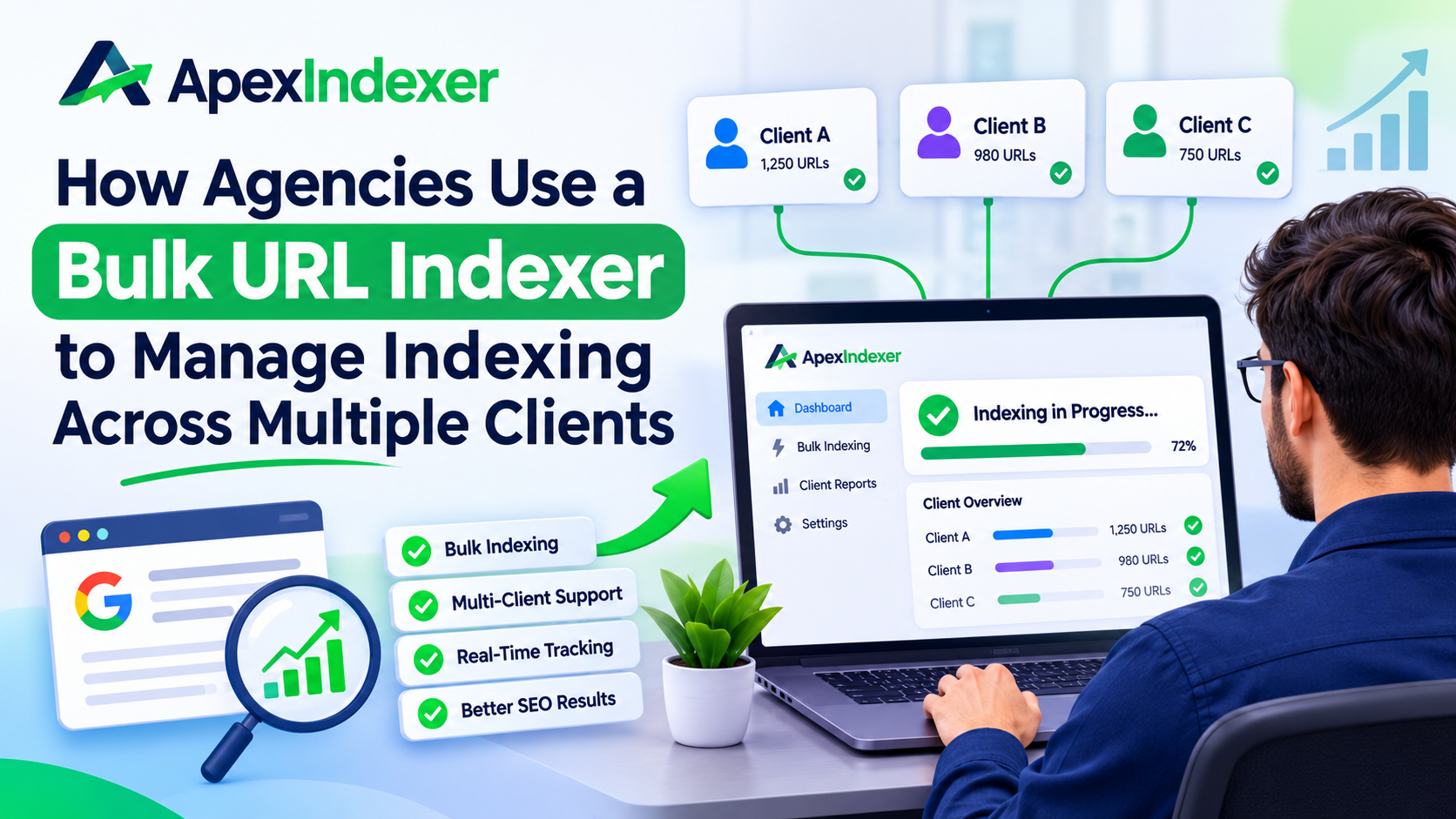
Introduction
Managing SEO for one website is already challenging. Managing dozens or even hundreds of client websites is an entirely different game. Every day, agencies publish new blog posts, update service pages, fix technical SEO issues, and launch landing pages that need to be discovered by search engines quickly.
This is where a bulk URL indexer becomes an essential tool. Instead of manually submitting URLs one by one, agencies can automate the indexing process, monitor results, and ensure their clients’ important pages are discovered faster.
In this guide, we’ll explain how agencies use a bulk URL indexer, why it’s important, and the best practices for managing indexing across multiple clients.
What Is a Bulk URL Indexer?
A bulk URL indexer is an SEO tool designed to submit multiple URLs to search engines for crawling and indexing simultaneously. Instead of handling each page individually, users can upload hundreds or even thousands of URLs in one batch.
For agencies managing multiple websites, this saves hours of manual work while making indexing management more organized and scalable.
A quality bulk URL indexer often includes:
- Batch URL submission
- Automatic scheduling
- Indexing reports
- Crawl status monitoring
- API integrations
- CSV upload support
- Team management features
These capabilities allow agencies to streamline their SEO workflow without sacrificing efficiency.
Why Agencies Need a Bulk URL Indexer
SEO agencies constantly create new pages for different clients.
Examples include:
- Blog posts
- Service pages
- Product pages
- Location pages
- Press releases
- Landing pages
Submitting each page manually becomes impossible as the number of clients grows.
Using a bulk URL indexer allows agencies to:
- Save significant time
- Reduce repetitive manual tasks
- Manage multiple websites from one dashboard
- Speed up search engine discovery
- Improve workflow consistency
- Track indexing progress more efficiently
This makes large-scale SEO campaigns much easier to manage.
Common Agency Challenges With Indexing
Many agencies struggle with indexing because search engines don’t automatically crawl every new page immediately.
Some common issues include:
Large Volume of URLs
An agency may publish hundreds of pages every week. Manual submissions simply don’t scale.
Multiple Client Campaigns
Every client has different publishing schedules, priorities, and SEO goals.
Time Constraints
SEO specialists already spend time on:
- Content optimization
- Technical audits
- Link building
- Reporting
- Keyword research
Adding manual indexing slows productivity.
Tracking Index Status
Without proper tools, agencies often don’t know:
- Which pages are indexed
- Which pages failed
- Which pages need resubmission
A bulk URL indexer helps solve these challenges with centralized management.
How Agencies Use a Bulk URL Indexer in Their Workflow
Most agencies integrate a bulk URL indexer directly into their SEO process.
1. Collect New URLs
Whenever content is published, URLs are automatically added to a spreadsheet, CMS, or project management tool.
Examples include:
- New blog articles
- Updated service pages
- Product listings
- Seasonal landing pages
2. Upload URLs in Bulk
Instead of submitting pages individually, agencies upload large batches into the bulk URL indexer.
Many tools support:
- CSV files
- XML sitemaps
- API integrations
- Direct URL lists
This reduces manual work significantly.
3. Prioritize Important Page
Not every page has equal importance.
Agencies often prioritize:
- Money pages
- High-converting landing pages
- New service pages
- Product launches
- Local SEO pages
Submitting these pages first improves visibility where it matters most.
4. Monitor Indexing Results
After submission, agencies monitor reports showing:
- Successfully indexed pages
- Pending pages
- Failed submissions
- Crawl status
This allows SEO teams to identify problems quickly.
5. Resubmit When Necessary
Sometimes pages aren’t indexed immediately.
Instead of waiting weeks, agencies use the bulk URL indexer to resubmit important pages after making improvements.
Benefits of Using a Bulk URL Indexer for Multiple Clients
A professional bulk URL indexer offers numerous advantages for SEO agencies.
Saves Time
Batch processing hundreds of URLs eliminates repetitive manual submissions.
Teams can focus on strategy instead of administrative work.
Better Workflow Organization
Everything stays centralized.
Instead of switching between dozens of client accounts, agencies manage indexing from one dashboard.
Faster Discovery
Submitting URLs promptly helps search engines discover new content sooner.
While submission doesn’t guarantee indexing, it can improve crawl efficiency.
Improved Reporting
Most agencies need monthly SEO reports.
A bulk URL indexer provides indexing data that can easily be included in client reports.
Higher Productivity
Automation allows SEO specialists to spend more time on:
- Content creation
- Technical optimization
- Link acquisition
- Client communication
Features Agencies Should Look For
Not every indexing tool is built for agencies.
When choosing a bulk URL indexer, consider the following features.
Bulk Submission
The ability to upload hundreds or thousands of URLs at once is essential.
Multiple Project Management
Separate dashboards for different clients keep campaigns organized.
API Access
Agencies handling enterprise clients often automate submissions through APIs.
Scheduled Indexing
Automatic submissions reduce manual intervention.
Progress Tracking
Clear reports help identify indexed, pending, and failed URLs.
Team Collaboration
Multi-user access improves workflow for larger SEO teams.
Best Practices for Managing Client Indexing
Simply using a bulk URL indexer isn’t enough.
Agencies should also follow proven SEO practices.
Publish High-Quality Content
Search engines prioritize valuable, original, and helpful content.
Poor-quality pages may still struggle to get indexed.
Maintain Strong Internal Linking
Pages connected through internal links are easier for crawlers to discover.
Keep XML Sitemaps Updated
Fresh sitemaps help search engines understand website structure.
Avoid Duplicate Content
Duplicate pages reduce indexing efficiency and may confuse search engines.
Monitor Crawl Errors
Regular technical audits ensure pages remain accessible.
Optimize Page Speed
Faster websites improve crawling efficiency and user experience.
Mistakes Agencies Should Avoid
Even experienced SEO teams sometimes make indexing mistakes.
Avoid these common issues.
Submitting Low-Quality Pages
Indexing thin or duplicate content wastes crawl budget.
Ignoring Technical Problems
Broken links, server errors, and blocked pages prevent successful indexing.
Overlooking Client Priorities
Focus first on pages that generate traffic, leads, or revenue.
Failing to Monitor Results
Submission alone isn’t enough.
Always verify whether pages actually appear in search results.
Not Updating Existing Pages
Major content updates also deserve indexing attention, not just newly published pages.
How a Bulk URL Indexer Supports SEO Growth
As agencies grow, manual SEO processes become bottlenecks.
A bulk URL indexer helps agencies scale by creating consistent workflows across dozens or hundreds of client websites.
Benefits include:
- Easier campaign management
- Better resource allocation
- Faster indexing management
- Improved reporting
- More efficient SEO operations
- Reduced manual workload
This operational efficiency allows agencies to take on more clients without dramatically increasing administrative effort.
Frequently Asked Questions
Does a bulk URL indexer guarantee indexing?
No. A bulk URL indexer helps submit URLs for crawling, but search engines ultimately decide whether a page will be indexed based on quality, relevance, and technical factors.
How many URLs can agencies submit at once?
The number depends on the tool being used. Many agency-focused platforms support hundreds or even thousands of URLs in a single batch.
Should agencies resubmit URLs regularly?
Only when necessary. Pages that have been significantly updated or were previously not indexed may benefit from resubmission after improvements.
Can a bulk URL indexer help with large websites?
Yes. Websites with thousands of pages benefit the most because manual submission becomes impractical at scale.
Is a bulk URL indexer suitable for local SEO campaigns?
Absolutely. Agencies managing multiple local businesses often use a bulk URL indexer to submit new location pages, service pages, and local content more efficiently.
Conclusion
Managing indexing across multiple client websites requires organization, automation, and consistency. A bulk URL indexer enables agencies to submit large batches of URLs, monitor indexing progress, prioritize important pages, and streamline SEO workflows without spending countless hours on manual tasks.
While no indexing tool can guarantee that every page will appear in search results, combining a bulk URL indexer with high-quality content, solid technical SEO, and effective internal linking creates a far more efficient indexing strategy. For growing agencies, this approach saves time, improves reporting, and supports scalable SEO operations that can handle an expanding client portfolio with confidence.


Customer relationship management software often includes multiple features for managing contacts, tracking sales opportunities, monitoring customer interactions, and generating reports. However, when users struggle to find these features, even a powerful CRM platform can become frustrating. Investing in professional crm ui ux design helps businesses create organized navigation systems that make information easier to access and everyday tasks simpler to complete.
CRM navigation design determines how users move between different sections of an application. A well-planned structure reduces confusion, supports productivity, and helps employees complete their responsibilities with fewer unnecessary steps.
Here are nine ways better CRM navigation design can improve the overall user experience.
1. Organizes Features Into Logical Categories
A CRM platform may contain dozens of features, including contact management, lead tracking, sales pipelines, customer support, reporting, and administrative settings.
Placing these features randomly in a menu makes the interface difficult to understand. Users may spend unnecessary time searching for tools they need regularly.
A logical navigation structure groups related features into meaningful categories.
For example:
- Contacts: Customer profiles and communication history.
- Sales: Leads, opportunities, and sales pipelines.
- Tasks: Follow-ups, reminders, and scheduled activities.
- Reports: Performance metrics and business analytics.
- Settings: User permissions and account preferences.
This organization creates a predictable structure and helps employees locate important functions more quickly.
2. Reduces the Number of Steps Needed to Complete Tasks
Employees frequently perform repetitive activities in CRM software. They may need to update customer records, assign leads, schedule meetings, or review sales information throughout the day.
If completing these tasks requires navigating through several unrelated screens, productivity can suffer.
Good navigation design reduces unnecessary steps by placing frequently used actions in accessible locations.
For instance, users could access customer details directly from a contact list instead of opening several menus to locate the relevant record.
Designers can also introduce shortcuts, quick-action menus, and contextual navigation where appropriate.
The goal is to make common workflows straightforward without overcrowding the interface.
3. Makes Important Features Easier to Discover
Some CRM applications contain useful features that employees rarely use because they do not know where to find them.
A clear navigation system improves feature discoverability by presenting available options in an understandable way.
Use descriptive menu labels instead of vague terms that require users to guess their meaning. Keep related tools together and provide visual indicators where they help users understand available actions.
For example, a reporting section should clearly communicate that it contains sales performance data, customer activity summaries, and other analytical resources.
Better discoverability helps employees understand the platform’s capabilities and use its features more effectively.
4. Creates a Consistent Experience Across Different Screens
Inconsistent navigation can make CRM software difficult to learn. If menus, buttons, and page layouts change unexpectedly between sections, users may struggle to understand how the application works.
Consistency helps employees develop familiarity with the interface.
Maintain predictable placement for primary navigation, account settings, search tools, and common actions. Use consistent labels and visual styles across different sections.
A reusable design system can support this process by defining standard navigation components and interaction patterns.
When the interface behaves consistently, employees spend less time learning how each screen works and more time completing their tasks.
5. Improves Access to Customer Information
Customer information is one of the most important parts of a CRM platform. Employees need to locate contact details, previous conversations, purchase history, and ongoing activities without unnecessary delays.
A well-organized navigation structure makes this information easier to access.
For example, a customer profile could provide clearly arranged sections for:
- Personal and business contact details
- Previous interactions
- Sales opportunities
- Support requests
- Assigned team members
- Upcoming follow-up activities
Search filters and related links can further improve information discovery.
This approach helps employees understand customer histories and access relevant details when communicating with clients.
6. Supports Role-Based Navigation
Different employees use CRM software for different purposes. A sales representative may focus on lead management, while a customer support agent needs quick access to service requests and communication histories.
Showing every available feature to every user can create unnecessary complexity.
Role-based navigation presents relevant tools according to an employee’s responsibilities and access permissions.
For example:
- Sales representatives can prioritize leads and opportunities.
- Managers can access team dashboards and performance reports.
- Support agents can focus on customer requests and service histories.
- Administrators can manage settings and user permissions.
This creates a more relevant interface for each user group while helping keep navigation organized.
7. Makes CRM Software Easier to Use on Mobile Devices
Many employees access business applications while traveling, attending meetings, or working away from their desks.
If CRM navigation is designed only for desktop screens, users may struggle to find features on smartphones and tablets.
Responsive navigation adapts the interface to different screen sizes without removing access to important functions.
Useful design approaches include:
- Collapsible navigation menus
- Touch-friendly buttons
- Simplified mobile layouts
- Clear icons supported by text labels
- Easily accessible search functions
- Consistent navigation patterns across devices
A professional UI UX designer considers these requirements when planning navigation rather than treating mobile usability as a separate afterthought.
8. Reduces User Errors and Navigation Confusion
Poor navigation can lead employees to open the wrong sections, select incorrect actions, or update unintended records.
Clear labels, logical grouping, and consistent interaction patterns help reduce these problems.
For example, placing destructive actions such as deleting a customer record away from common navigation controls can prevent accidental selections.
Designers should also use clear confirmation messages for important actions and provide visible indicators showing users where they are within the application.
Breadcrumb navigation can be useful in CRM platforms with multiple levels of pages because it helps users understand their current location and return to previous sections.
These details make navigation more predictable and reduce unnecessary mistakes.
9. Uses User Feedback to Improve Navigation Over Time
Navigation design should evolve as business requirements and user behavior change.
A structure that works well for a small team may become difficult to manage when a CRM platform introduces additional features or supports more departments.
Regular usability testing helps identify navigation problems before they affect a larger number of employees.
Businesses can evaluate:
- Which sections users visit most frequently
- Where employees struggle to find features
- Which navigation paths take too many steps
- What menu labels create confusion
- Which features are difficult to discover
Gather feedback from different user groups and use it to improve the interface.
Testing real workflows provides more useful insights than relying entirely on assumptions about how employees should use the software.
Best Practices for Designing Better CRM Navigation
Businesses planning a new CRM interface or redesign should focus on usability rather than adding unnecessary navigation options.
Consider these best practices:
- Keep the main navigation simple and organized.
- Use clear labels that communicate each section’s purpose.
- Prioritize frequently used features.
- Maintain consistent navigation across screens.
- Provide useful search and filtering options.
- Consider the needs of different user roles.
- Test navigation on desktop and mobile devices.
- Review user feedback and improve confusing areas.
The most effective navigation system is one that helps employees find what they need naturally, without requiring extensive training or repeated instructions.
Conclusion
CRM navigation design has a direct influence on how employees interact with business software. A well-organized structure makes important features easier to discover, reduces unnecessary steps, improves access to customer information, and creates a more consistent experience across devices. Businesses should treat navigation as an essential part of product usability rather than simply a collection of menus and links. Companies looking to improve their CRM interfaces and create more intuitive digital experiences can contact Soft-korner to discuss their UI/UX design requirements.
Frequently Asked Questions
1. What is CRM navigation design?
CRM navigation design refers to how menus, links, buttons, and interface sections are organized within customer relationship management software. Its purpose is to help users find information and access features efficiently.
2. Why is navigation important in CRM software?
Navigation helps employees move between different CRM features and complete daily tasks. Clear navigation reduces confusion, improves feature discoverability, and supports a more productive user experience.
3. What makes CRM navigation user-friendly?
User-friendly CRM navigation includes logical categories, descriptive labels, consistent layouts, accessible menus, and easy-to-find features. It should also accommodate different user roles and devices.
4. How does role-based navigation improve CRM usability?
Role-based navigation displays relevant features according to user responsibilities and permissions. This reduces unnecessary options and helps employees focus on the tools they need for their work.
5. How often should CRM navigation be reviewed?
Businesses should review navigation whenever new features are introduced, workflows change, or users report difficulties. Regular usability testing and feedback collection help maintain an effective navigation structure.


Pixel blades are popular for good reason. They’re visually impressive, dynamic, and turn a simple igniter into a mini show. However, they can be overwhelming when you’re starting out in this hobby. There is a lot of variation in price and specs across different products. Everyone says they have the best product. This article by BM Lightsabers will clear up any confusion and help you understand what they are and how to find the best Neopixel lightsaber for YOU!
What Are Neopixel Sabers and How Do They Work?
Traditional lightsabers have just a single color that lights from the base of the weapon. A Neopixel saber uses a strip of small LEDs inside the blade so each segment can be controlled individually. This allows for many effects.
You can achieve many effects by changing the colors in the saber blade. When turning it on the light can smoothly transition from the base to the tip. When retracting, it can transition back the other way. Effects can include flickering blades to simulate instability, bright flashes when two blades come together. Ripples when deflecting blasts and glowing marks when dragging the saber’s tip. Many designs let you change the colors via a setting or app.
Neopixel is a brand name for individually addressable LEDs. The term is widely used in the hobby to describe this type of blade.
What Makes the Best Neopixel Lightsaber?
There’s no single winner, because the best choice depends on how you’ll use it. But a few qualities separate a great pixel saber from a disappointing one.
Start with the blade, because it’s the star of the show. A well-made blade has a diffuser that blends the individual LEDs into a smooth, even glow. A poor one shows visible dots or uneven patches. Higher LED density generally means smoother animations, though it can affect battery use. Check how the strip is mounted, because a loose strip leads to flickering or dead spots.
Next comes the electronics. The board controls the effects, sounds and responses, so look for a reliable system with good swing sensitivity and a decent selection of sound fonts. A strong rechargeable battery with a convenient charging port makes everyday ownership easier. Finally, look at the build quality of the hilt, the fit of the parts and the clarity of the warranty.
Most important of all is knowing your purpose. A saber for display, cosplay or photography can prioritize looks and effects. A saber for sparring needs a sturdier build, and it’s wise to read the seller’s guidance on contact because pixel blades are more delicate than basic ones.
The best neopixel lightsaber for one person may be a plain display piece for another, so think about your needs first. Videos are your best friend, and BM Lightsabers suggests asking for them if a listing doesn’t include any. A short clip of a saber igniting, swinging and clashing reveals more than any photograph.
How to Find a Budget Neopixel Lightsaber Without Regret
Buying a budget neopixel lightsaber can be a great idea, but you should know where to save money and where not to. There are good reasons why prices can be cheaper. Some of these will not cause any issues, but others will.
You can usually save money on any extra cosmetic features (such as nice finish on the hilt, extra accessories or a big sound font library you don’t need). However it is not wise to save on the blade quality, battery, board quality or warranty. If your cheap saber breaks after a month it will cost you more than a fair priced one that will last years.
If you’re looking to buy a budget neopixel lightsaber try to compare at least 3 different options. Consider how much it will cost overall. Can you get an extra blade? How much will it cost? Is a charger included? A cheap price can be less appealing once you factor in the extra things you’ll need.
Avoid any deals that look too good to be true. If there are vague details, no proper videos and unclear returns this could be a warning sign. A seller who can answer your questions clearly is worth more than saving a few dollars.
Start with a basic saber. If its well made and has a good quality board then you’ll have a great experience. You can always upgrade later once you know what you want.
Neopixal Lightsaber or Neopixel? Sorting Out the Spelling
You’ll sometimes see people searching for a neopixal lightsaber. A neopixal lightsaber and a neopixel one are, in practice, the same product. The spelling varies, but they’re almost always looking for the same thing: a pixel-blade saber with individually controlled LEDs. When you’re shopping, look for descriptions that explain the blade and electronics clearly, rather than relying on a spelling or a brand name alone.
Setup and Everyday Care
Ensure the battery is fully charged before first use, and read the manual to learn how to operate the controls. Ensure all effects work correctly in a dark room. Neopixel sabers should be treated carefully, especially the blade area. Try to avoid knocking the saber.
Wipe the blade with a soft cloth, place into the case and keep away from any heat or moisture. If anything feels odd (e.g. flashing or strange noise) then please consult the manual and contact the seller before opening the hilt.
Final Thoughts
If you like animated, colorful, and/or musical blades, then these can all make for a great addition to your collection! Just take your time when watching the demo videos and find the right saber for you.
BM Lightsabers has a range of neopixel sabers available to try out. This is a great way to see all the different styles, features, and prices. Find what suits your style and enjoy the glowing blades for years!

Granite Countertops Calgary: The Perfect Combination of Beauty, Durability, and Timeless Elegance

New Mom Gift Bundle: How to Choose Gifts for Every Stage of Motherhood

When Is a Professional Survey Necessary for Construction?

Chrome Hearts Sunglasses for Everyday American Looks

Upper Blepharoplasty in London: What Causes Sagging Upper Eyelids?

Rani No Hajiro in Ahmedabad: A Complete Guide to History, Shopping & Hidden Secrets

How to Get Promoted Faster at Work: Smart Career Growth Tips

Digital Marketing for Beginners: Step-by-Step Guide to Start and Succeed in 2026

Dublin City University: Everything You Need to Know Before Applying in 2026