Technology
9 Ways CRM Navigation Design Can Improve User Experience


Customer relationship management software often includes multiple features for managing contacts, tracking sales opportunities, monitoring customer interactions, and generating reports. However, when users struggle to find these features, even a powerful CRM platform can become frustrating. Investing in professional crm ui ux design helps businesses create organized navigation systems that make information easier to access and everyday tasks simpler to complete.
CRM navigation design determines how users move between different sections of an application. A well-planned structure reduces confusion, supports productivity, and helps employees complete their responsibilities with fewer unnecessary steps.
Here are nine ways better CRM navigation design can improve the overall user experience.
1. Organizes Features Into Logical Categories
A CRM platform may contain dozens of features, including contact management, lead tracking, sales pipelines, customer support, reporting, and administrative settings.
Placing these features randomly in a menu makes the interface difficult to understand. Users may spend unnecessary time searching for tools they need regularly.
A logical navigation structure groups related features into meaningful categories.
For example:
- Contacts: Customer profiles and communication history.
- Sales: Leads, opportunities, and sales pipelines.
- Tasks: Follow-ups, reminders, and scheduled activities.
- Reports: Performance metrics and business analytics.
- Settings: User permissions and account preferences.
This organization creates a predictable structure and helps employees locate important functions more quickly.
2. Reduces the Number of Steps Needed to Complete Tasks
Employees frequently perform repetitive activities in CRM software. They may need to update customer records, assign leads, schedule meetings, or review sales information throughout the day.
If completing these tasks requires navigating through several unrelated screens, productivity can suffer.
Good navigation design reduces unnecessary steps by placing frequently used actions in accessible locations.
For instance, users could access customer details directly from a contact list instead of opening several menus to locate the relevant record.
Designers can also introduce shortcuts, quick-action menus, and contextual navigation where appropriate.
The goal is to make common workflows straightforward without overcrowding the interface.
3. Makes Important Features Easier to Discover
Some CRM applications contain useful features that employees rarely use because they do not know where to find them.
A clear navigation system improves feature discoverability by presenting available options in an understandable way.
Use descriptive menu labels instead of vague terms that require users to guess their meaning. Keep related tools together and provide visual indicators where they help users understand available actions.
For example, a reporting section should clearly communicate that it contains sales performance data, customer activity summaries, and other analytical resources.
Better discoverability helps employees understand the platform’s capabilities and use its features more effectively.
4. Creates a Consistent Experience Across Different Screens
Inconsistent navigation can make CRM software difficult to learn. If menus, buttons, and page layouts change unexpectedly between sections, users may struggle to understand how the application works.
Consistency helps employees develop familiarity with the interface.
Maintain predictable placement for primary navigation, account settings, search tools, and common actions. Use consistent labels and visual styles across different sections.
A reusable design system can support this process by defining standard navigation components and interaction patterns.
When the interface behaves consistently, employees spend less time learning how each screen works and more time completing their tasks.
5. Improves Access to Customer Information
Customer information is one of the most important parts of a CRM platform. Employees need to locate contact details, previous conversations, purchase history, and ongoing activities without unnecessary delays.
A well-organized navigation structure makes this information easier to access.
For example, a customer profile could provide clearly arranged sections for:
- Personal and business contact details
- Previous interactions
- Sales opportunities
- Support requests
- Assigned team members
- Upcoming follow-up activities
Search filters and related links can further improve information discovery.
This approach helps employees understand customer histories and access relevant details when communicating with clients.
6. Supports Role-Based Navigation
Different employees use CRM software for different purposes. A sales representative may focus on lead management, while a customer support agent needs quick access to service requests and communication histories.
Showing every available feature to every user can create unnecessary complexity.
Role-based navigation presents relevant tools according to an employee’s responsibilities and access permissions.
For example:
- Sales representatives can prioritize leads and opportunities.
- Managers can access team dashboards and performance reports.
- Support agents can focus on customer requests and service histories.
- Administrators can manage settings and user permissions.
This creates a more relevant interface for each user group while helping keep navigation organized.
7. Makes CRM Software Easier to Use on Mobile Devices
Many employees access business applications while traveling, attending meetings, or working away from their desks.
If CRM navigation is designed only for desktop screens, users may struggle to find features on smartphones and tablets.
Responsive navigation adapts the interface to different screen sizes without removing access to important functions.
Useful design approaches include:
- Collapsible navigation menus
- Touch-friendly buttons
- Simplified mobile layouts
- Clear icons supported by text labels
- Easily accessible search functions
- Consistent navigation patterns across devices
A professional UI UX designer considers these requirements when planning navigation rather than treating mobile usability as a separate afterthought.
8. Reduces User Errors and Navigation Confusion
Poor navigation can lead employees to open the wrong sections, select incorrect actions, or update unintended records.
Clear labels, logical grouping, and consistent interaction patterns help reduce these problems.
For example, placing destructive actions such as deleting a customer record away from common navigation controls can prevent accidental selections.
Designers should also use clear confirmation messages for important actions and provide visible indicators showing users where they are within the application.
Breadcrumb navigation can be useful in CRM platforms with multiple levels of pages because it helps users understand their current location and return to previous sections.
These details make navigation more predictable and reduce unnecessary mistakes.
9. Uses User Feedback to Improve Navigation Over Time
Navigation design should evolve as business requirements and user behavior change.
A structure that works well for a small team may become difficult to manage when a CRM platform introduces additional features or supports more departments.
Regular usability testing helps identify navigation problems before they affect a larger number of employees.
Businesses can evaluate:
- Which sections users visit most frequently
- Where employees struggle to find features
- Which navigation paths take too many steps
- What menu labels create confusion
- Which features are difficult to discover
Gather feedback from different user groups and use it to improve the interface.
Testing real workflows provides more useful insights than relying entirely on assumptions about how employees should use the software.
Best Practices for Designing Better CRM Navigation
Businesses planning a new CRM interface or redesign should focus on usability rather than adding unnecessary navigation options.
Consider these best practices:
- Keep the main navigation simple and organized.
- Use clear labels that communicate each section’s purpose.
- Prioritize frequently used features.
- Maintain consistent navigation across screens.
- Provide useful search and filtering options.
- Consider the needs of different user roles.
- Test navigation on desktop and mobile devices.
- Review user feedback and improve confusing areas.
The most effective navigation system is one that helps employees find what they need naturally, without requiring extensive training or repeated instructions.
Conclusion
CRM navigation design has a direct influence on how employees interact with business software. A well-organized structure makes important features easier to discover, reduces unnecessary steps, improves access to customer information, and creates a more consistent experience across devices. Businesses should treat navigation as an essential part of product usability rather than simply a collection of menus and links. Companies looking to improve their CRM interfaces and create more intuitive digital experiences can contact Soft-korner to discuss their UI/UX design requirements.
Frequently Asked Questions
1. What is CRM navigation design?
CRM navigation design refers to how menus, links, buttons, and interface sections are organized within customer relationship management software. Its purpose is to help users find information and access features efficiently.
2. Why is navigation important in CRM software?
Navigation helps employees move between different CRM features and complete daily tasks. Clear navigation reduces confusion, improves feature discoverability, and supports a more productive user experience.
3. What makes CRM navigation user-friendly?
User-friendly CRM navigation includes logical categories, descriptive labels, consistent layouts, accessible menus, and easy-to-find features. It should also accommodate different user roles and devices.
4. How does role-based navigation improve CRM usability?
Role-based navigation displays relevant features according to user responsibilities and permissions. This reduces unnecessary options and helps employees focus on the tools they need for their work.
5. How often should CRM navigation be reviewed?
Businesses should review navigation whenever new features are introduced, workflows change, or users report difficulties. Regular usability testing and feedback collection help maintain an effective navigation structure.



Introduction
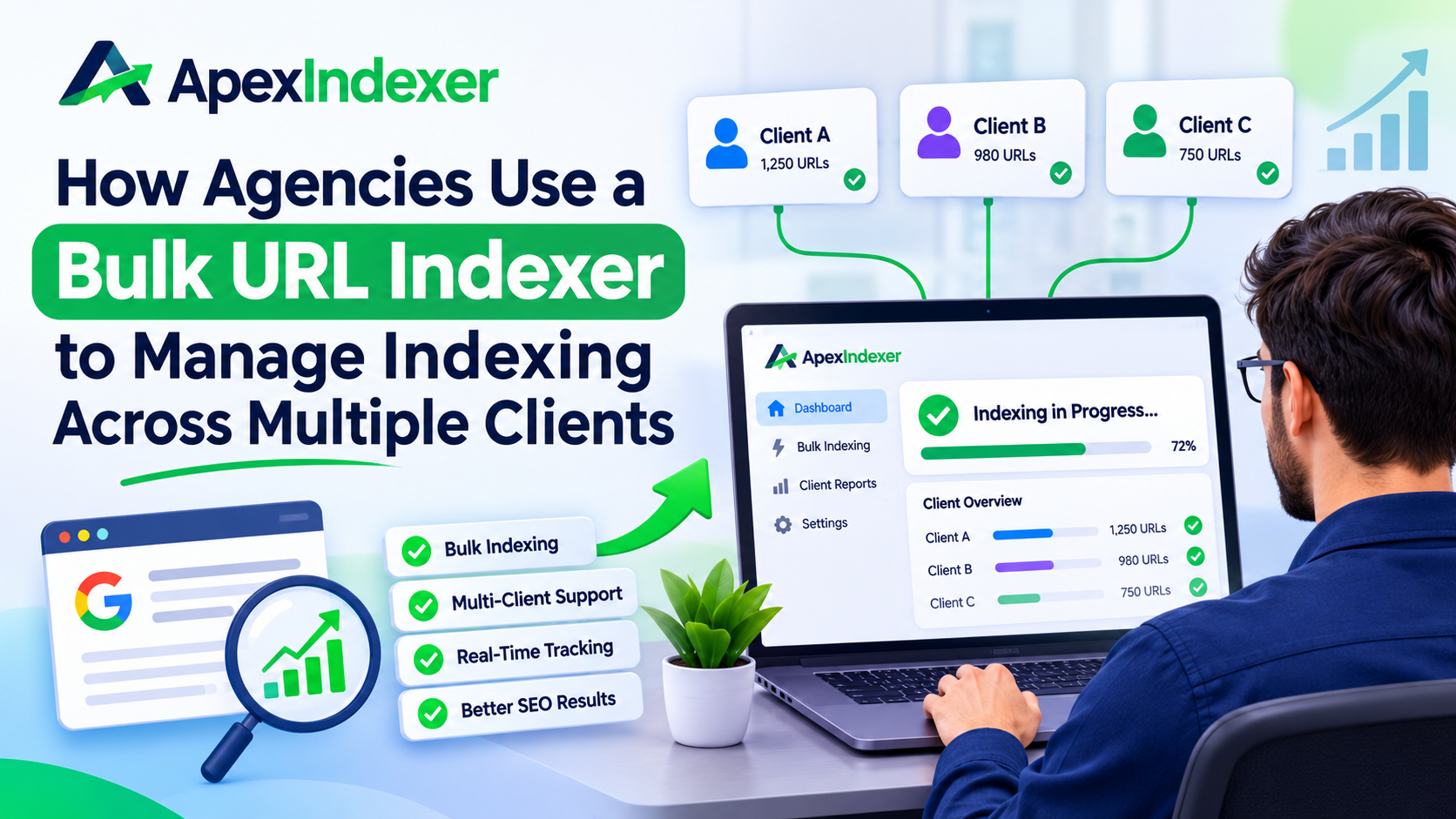
Managing SEO for one website is already challenging. Managing dozens or even hundreds of client websites is an entirely different game. Every day, agencies publish new blog posts, update service pages, fix technical SEO issues, and launch landing pages that need to be discovered by search engines quickly.
This is where a bulk URL indexer becomes an essential tool. Instead of manually submitting URLs one by one, agencies can automate the indexing process, monitor results, and ensure their clients’ important pages are discovered faster.
In this guide, we’ll explain how agencies use a bulk URL indexer, why it’s important, and the best practices for managing indexing across multiple clients.
What Is a Bulk URL Indexer?
A bulk URL indexer is an SEO tool designed to submit multiple URLs to search engines for crawling and indexing simultaneously. Instead of handling each page individually, users can upload hundreds or even thousands of URLs in one batch.
For agencies managing multiple websites, this saves hours of manual work while making indexing management more organized and scalable.
A quality bulk URL indexer often includes:
- Batch URL submission
- Automatic scheduling
- Indexing reports
- Crawl status monitoring
- API integrations
- CSV upload support
- Team management features
These capabilities allow agencies to streamline their SEO workflow without sacrificing efficiency.
Why Agencies Need a Bulk URL Indexer
SEO agencies constantly create new pages for different clients.
Examples include:
- Blog posts
- Service pages
- Product pages
- Location pages
- Press releases
- Landing pages
Submitting each page manually becomes impossible as the number of clients grows.
Using a bulk URL indexer allows agencies to:
- Save significant time
- Reduce repetitive manual tasks
- Manage multiple websites from one dashboard
- Speed up search engine discovery
- Improve workflow consistency
- Track indexing progress more efficiently
This makes large-scale SEO campaigns much easier to manage.
Common Agency Challenges With Indexing
Many agencies struggle with indexing because search engines don’t automatically crawl every new page immediately.
Some common issues include:
Large Volume of URLs
An agency may publish hundreds of pages every week. Manual submissions simply don’t scale.
Multiple Client Campaigns
Every client has different publishing schedules, priorities, and SEO goals.
Time Constraints
SEO specialists already spend time on:
- Content optimization
- Technical audits
- Link building
- Reporting
- Keyword research
Adding manual indexing slows productivity.
Tracking Index Status
Without proper tools, agencies often don’t know:
- Which pages are indexed
- Which pages failed
- Which pages need resubmission
A bulk URL indexer helps solve these challenges with centralized management.
How Agencies Use a Bulk URL Indexer in Their Workflow
Most agencies integrate a bulk URL indexer directly into their SEO process.
1. Collect New URLs
Whenever content is published, URLs are automatically added to a spreadsheet, CMS, or project management tool.
Examples include:
- New blog articles
- Updated service pages
- Product listings
- Seasonal landing pages
2. Upload URLs in Bulk
Instead of submitting pages individually, agencies upload large batches into the bulk URL indexer.
Many tools support:
- CSV files
- XML sitemaps
- API integrations
- Direct URL lists
This reduces manual work significantly.
3. Prioritize Important Page
Not every page has equal importance.
Agencies often prioritize:
- Money pages
- High-converting landing pages
- New service pages
- Product launches
- Local SEO pages
Submitting these pages first improves visibility where it matters most.
4. Monitor Indexing Results
After submission, agencies monitor reports showing:
- Successfully indexed pages
- Pending pages
- Failed submissions
- Crawl status
This allows SEO teams to identify problems quickly.
5. Resubmit When Necessary
Sometimes pages aren’t indexed immediately.
Instead of waiting weeks, agencies use the bulk URL indexer to resubmit important pages after making improvements.
Benefits of Using a Bulk URL Indexer for Multiple Clients
A professional bulk URL indexer offers numerous advantages for SEO agencies.
Saves Time
Batch processing hundreds of URLs eliminates repetitive manual submissions.
Teams can focus on strategy instead of administrative work.
Better Workflow Organization
Everything stays centralized.
Instead of switching between dozens of client accounts, agencies manage indexing from one dashboard.
Faster Discovery
Submitting URLs promptly helps search engines discover new content sooner.
While submission doesn’t guarantee indexing, it can improve crawl efficiency.
Improved Reporting
Most agencies need monthly SEO reports.
A bulk URL indexer provides indexing data that can easily be included in client reports.
Higher Productivity
Automation allows SEO specialists to spend more time on:
- Content creation
- Technical optimization
- Link acquisition
- Client communication
Features Agencies Should Look For
Not every indexing tool is built for agencies.
When choosing a bulk URL indexer, consider the following features.
Bulk Submission
The ability to upload hundreds or thousands of URLs at once is essential.
Multiple Project Management
Separate dashboards for different clients keep campaigns organized.
API Access
Agencies handling enterprise clients often automate submissions through APIs.
Scheduled Indexing
Automatic submissions reduce manual intervention.
Progress Tracking
Clear reports help identify indexed, pending, and failed URLs.
Team Collaboration
Multi-user access improves workflow for larger SEO teams.
Best Practices for Managing Client Indexing
Simply using a bulk URL indexer isn’t enough.
Agencies should also follow proven SEO practices.
Publish High-Quality Content
Search engines prioritize valuable, original, and helpful content.
Poor-quality pages may still struggle to get indexed.
Maintain Strong Internal Linking
Pages connected through internal links are easier for crawlers to discover.
Keep XML Sitemaps Updated
Fresh sitemaps help search engines understand website structure.
Avoid Duplicate Content
Duplicate pages reduce indexing efficiency and may confuse search engines.
Monitor Crawl Errors
Regular technical audits ensure pages remain accessible.
Optimize Page Speed
Faster websites improve crawling efficiency and user experience.
Mistakes Agencies Should Avoid
Even experienced SEO teams sometimes make indexing mistakes.
Avoid these common issues.
Submitting Low-Quality Pages
Indexing thin or duplicate content wastes crawl budget.
Ignoring Technical Problems
Broken links, server errors, and blocked pages prevent successful indexing.
Overlooking Client Priorities
Focus first on pages that generate traffic, leads, or revenue.
Failing to Monitor Results
Submission alone isn’t enough.
Always verify whether pages actually appear in search results.
Not Updating Existing Pages
Major content updates also deserve indexing attention, not just newly published pages.
How a Bulk URL Indexer Supports SEO Growth
As agencies grow, manual SEO processes become bottlenecks.
A bulk URL indexer helps agencies scale by creating consistent workflows across dozens or hundreds of client websites.
Benefits include:
- Easier campaign management
- Better resource allocation
- Faster indexing management
- Improved reporting
- More efficient SEO operations
- Reduced manual workload
This operational efficiency allows agencies to take on more clients without dramatically increasing administrative effort.
Frequently Asked Questions
Does a bulk URL indexer guarantee indexing?
No. A bulk URL indexer helps submit URLs for crawling, but search engines ultimately decide whether a page will be indexed based on quality, relevance, and technical factors.
How many URLs can agencies submit at once?
The number depends on the tool being used. Many agency-focused platforms support hundreds or even thousands of URLs in a single batch.
Should agencies resubmit URLs regularly?
Only when necessary. Pages that have been significantly updated or were previously not indexed may benefit from resubmission after improvements.
Can a bulk URL indexer help with large websites?
Yes. Websites with thousands of pages benefit the most because manual submission becomes impractical at scale.
Is a bulk URL indexer suitable for local SEO campaigns?
Absolutely. Agencies managing multiple local businesses often use a bulk URL indexer to submit new location pages, service pages, and local content more efficiently.
Conclusion
Managing indexing across multiple client websites requires organization, automation, and consistency. A bulk URL indexer enables agencies to submit large batches of URLs, monitor indexing progress, prioritize important pages, and streamline SEO workflows without spending countless hours on manual tasks.
While no indexing tool can guarantee that every page will appear in search results, combining a bulk URL indexer with high-quality content, solid technical SEO, and effective internal linking creates a far more efficient indexing strategy. For growing agencies, this approach saves time, improves reporting, and supports scalable SEO operations that can handle an expanding client portfolio with confidence.


Pixel blades are popular for good reason. They’re visually impressive, dynamic, and turn a simple igniter into a mini show. However, they can be overwhelming when you’re starting out in this hobby. There is a lot of variation in price and specs across different products. Everyone says they have the best product. This article by BM Lightsabers will clear up any confusion and help you understand what they are and how to find the best Neopixel lightsaber for YOU!
What Are Neopixel Sabers and How Do They Work?
Traditional lightsabers have just a single color that lights from the base of the weapon. A Neopixel saber uses a strip of small LEDs inside the blade so each segment can be controlled individually. This allows for many effects.
You can achieve many effects by changing the colors in the saber blade. When turning it on the light can smoothly transition from the base to the tip. When retracting, it can transition back the other way. Effects can include flickering blades to simulate instability, bright flashes when two blades come together. Ripples when deflecting blasts and glowing marks when dragging the saber’s tip. Many designs let you change the colors via a setting or app.
Neopixel is a brand name for individually addressable LEDs. The term is widely used in the hobby to describe this type of blade.
What Makes the Best Neopixel Lightsaber?
There’s no single winner, because the best choice depends on how you’ll use it. But a few qualities separate a great pixel saber from a disappointing one.
Start with the blade, because it’s the star of the show. A well-made blade has a diffuser that blends the individual LEDs into a smooth, even glow. A poor one shows visible dots or uneven patches. Higher LED density generally means smoother animations, though it can affect battery use. Check how the strip is mounted, because a loose strip leads to flickering or dead spots.
Next comes the electronics. The board controls the effects, sounds and responses, so look for a reliable system with good swing sensitivity and a decent selection of sound fonts. A strong rechargeable battery with a convenient charging port makes everyday ownership easier. Finally, look at the build quality of the hilt, the fit of the parts and the clarity of the warranty.
Most important of all is knowing your purpose. A saber for display, cosplay or photography can prioritize looks and effects. A saber for sparring needs a sturdier build, and it’s wise to read the seller’s guidance on contact because pixel blades are more delicate than basic ones.
The best neopixel lightsaber for one person may be a plain display piece for another, so think about your needs first. Videos are your best friend, and BM Lightsabers suggests asking for them if a listing doesn’t include any. A short clip of a saber igniting, swinging and clashing reveals more than any photograph.
How to Find a Budget Neopixel Lightsaber Without Regret
Buying a budget neopixel lightsaber can be a great idea, but you should know where to save money and where not to. There are good reasons why prices can be cheaper. Some of these will not cause any issues, but others will.
You can usually save money on any extra cosmetic features (such as nice finish on the hilt, extra accessories or a big sound font library you don’t need). However it is not wise to save on the blade quality, battery, board quality or warranty. If your cheap saber breaks after a month it will cost you more than a fair priced one that will last years.
If you’re looking to buy a budget neopixel lightsaber try to compare at least 3 different options. Consider how much it will cost overall. Can you get an extra blade? How much will it cost? Is a charger included? A cheap price can be less appealing once you factor in the extra things you’ll need.
Avoid any deals that look too good to be true. If there are vague details, no proper videos and unclear returns this could be a warning sign. A seller who can answer your questions clearly is worth more than saving a few dollars.
Start with a basic saber. If its well made and has a good quality board then you’ll have a great experience. You can always upgrade later once you know what you want.
Neopixal Lightsaber or Neopixel? Sorting Out the Spelling
You’ll sometimes see people searching for a neopixal lightsaber. A neopixal lightsaber and a neopixel one are, in practice, the same product. The spelling varies, but they’re almost always looking for the same thing: a pixel-blade saber with individually controlled LEDs. When you’re shopping, look for descriptions that explain the blade and electronics clearly, rather than relying on a spelling or a brand name alone.
Setup and Everyday Care
Ensure the battery is fully charged before first use, and read the manual to learn how to operate the controls. Ensure all effects work correctly in a dark room. Neopixel sabers should be treated carefully, especially the blade area. Try to avoid knocking the saber.
Wipe the blade with a soft cloth, place into the case and keep away from any heat or moisture. If anything feels odd (e.g. flashing or strange noise) then please consult the manual and contact the seller before opening the hilt.
Final Thoughts
If you like animated, colorful, and/or musical blades, then these can all make for a great addition to your collection! Just take your time when watching the demo videos and find the right saber for you.
BM Lightsabers has a range of neopixel sabers available to try out. This is a great way to see all the different styles, features, and prices. Find what suits your style and enjoy the glowing blades for years!


Twitch has become a popular platform for gamers, streamers, and content creators who want to share live videos and connect with people around the world. From gaming streams and live chats to creative content and entertainment, Twitch gives creators many ways to build an online community. However, getting viewers to notice your videos and streams can be challenging, especially when you are just starting.
Many new streamers spend hours creating content but struggle to attract viewers. Building an audience takes time, regular effort, and a clear content strategy. This is why some creators explore ways to buy twitch video views as part of their online promotion plans. However, it is important to understand how paid views work and why genuine audience engagement should remain the main goal.
Choosing the right social media growth platform is also important. Famups is an option worth exploring when comparing online engagement services. Before selecting any provider, streamers should review the service details, pricing, customer support, and account safety.
1. Understand the Importance of Twitch Video Views
Video views are one of the visible measurements of content performance. They can help creators understand how many times their videos or streams have been watched.
For new streamers, getting attention can be difficult because many creators are competing for viewers in popular categories. A well-planned promotion strategy can help your content reach more people.
However, views alone do not guarantee an active audience. Real engagement also includes chat messages, followers, returning viewers, and community participation.
Before deciding to buy twitch video views, understand the difference between a view count and genuine audience interest. Your long-term goal should be to attract people who enjoy your content and want to return for future streams.
2. Choose a Reliable Platform Like Famups
Choosing a suitable service provider is an important part of any online promotion strategy. Not every engagement website offers the same level of transparency, support, or service quality.
Famups is a platform worth considering when researching Twitch growth services. Before placing an order, take time to review the available options and understand what each service includes.
Here are some important points to check:
- Clear service details: Understand what type of views or engagement is being offered.
- Transparent pricing: Review the total cost before making a payment.
- Customer support: Check whether the provider offers a clear way to contact its support team.
- Account safety: Never share your Twitch password with a third-party service.
- Honest promises: Avoid providers that guarantee viral success or permanent audience growth.
Famups can be explored as an option, but always check its current terms and service policies before purchasing.
3. Create Interesting and Valuable Streaming Content
Content quality plays an important role in attracting viewers. People are more likely to watch streams when they find the content entertaining, useful, or interesting.
Think about what makes your channel different from others. If you are a gaming streamer, you can share gameplay, tutorials, challenges, or live reactions. If you create non-gaming content, consider discussions, creative activities, or educational streams.
Here are some content ideas:
- Share gameplay highlights.
- Create beginner-friendly gaming tutorials.
- Host live challenges.
- Discuss gaming updates.
- Share tips and tricks.
- Create entertaining reaction videos.
- Answer questions from your audience.
When people enjoy your content, they have a reason to return. This helps build a stronger community over time.
4. Maintain a Regular Streaming Schedule
Consistency is one of the most important parts of growing a Twitch channel. If viewers know when you usually stream, they can plan to join your sessions.
You do not need to stream for many hours every day. Instead, choose a realistic schedule that fits your daily routine.
For example, you could stream three or four times a week at similar times. Share your schedule in your Twitch profile and other social media accounts so your audience knows when to expect new content.
Regular streaming also gives you more opportunities to practise, improve your presentation, and understand what your viewers enjoy.
A consistent schedule can help create a familiar experience for your audience and encourage returning viewers.
5. Improve Your Twitch Channel Appearance
Your Twitch channel is often the first place people visit before deciding whether to watch your content. A professional and organised profile can make a positive first impression.
Start by choosing a clear profile image and an attractive banner. Your channel description should explain what kind of content you create and what viewers can expect.
You can also improve your channel by:
- Adding a simple and clear channel description.
- Creating useful information panels.
- Choosing a recognisable username.
- Organising your past broadcasts.
- Adding social media links.
- Using a consistent visual theme.
A well-presented channel makes it easier for new visitors to understand your content and explore your streams.
6. Promote Your Twitch Videos on Other Platforms
Do not depend only on Twitch to attract viewers. Other social media platforms can help you introduce your content to new audiences.
For example, you can share short gameplay clips on Instagram Reels, YouTube Shorts, and TikTok. You can also post stream announcements and interesting highlights on your social media profiles.
When promoting your content, use short descriptions that explain why people may enjoy watching it. Add a link to your Twitch channel so interested viewers can find you easily.
This approach can help bring more attention to your streams and create opportunities to connect with people who have similar interests.
7. Understand Paid Views and Organic Engagement
Some creators research ways to buy twitch video views because they want to increase the visible numbers on their content. However, paid views and organic engagement are different.
Organic engagement comes from real viewers who choose to watch your content because they enjoy it. They may participate in chat, follow your channel, share your videos, or return for future streams.
Paid view services may provide additional view counts, but the source and quality of those views can vary. Artificial or invalid engagement may violate Twitch rules and could create risks for your channel.
This is why it is important to focus on authentic promotion methods. Use legitimate advertising, share useful content, and build relationships with viewers who are genuinely interested in your streams.
A high view count should never be treated as proof of a successful channel. Viewer retention, chat activity, and returning audiences are more meaningful indicators of long-term progress.
8. Interact With Your Viewers During Live Streams
Interaction helps turn a casual viewer into an active community member. Twitch is known for its live-streaming experience, so communication should be an important part of your content strategy.
Try to welcome new viewers, respond to relevant chat messages, and ask simple questions during your streams.
For example, if you are playing a multiplayer game, ask viewers which strategy they would choose. If you are discussing a gaming update, invite them to share their opinions.
You can also:
- Thank viewers for participating.
- Answer common questions.
- Organise community challenges.
- Discuss upcoming streams.
- Encourage friendly conversations.
Remember to keep your chat respectful and follow Twitch’s community guidelines. A welcoming environment can encourage people to return and participate again.
9. Track Your Twitch Channel Performance
Tracking your performance helps you understand what is working and what needs improvement. Instead of focusing only on total views, review different channel measurements.
Some useful metrics include:
Average concurrent viewers: Shows the average number of people watching at the same time.
Unique viewers: Helps you understand how many different people watched your content.
Chat activity: Shows how actively viewers participate during streams.
Follower growth: Helps measure changes in your channel audience.
Viewer retention: Provides insight into how long people continue watching.
Returning viewers: Helps you understand whether people come back for more content.
Twitch analytics can provide useful information about your channel. Review your results regularly and use them to improve your content, streaming schedule, and audience communication.
10. Focus on Long-Term Twitch Growth
Building a successful Twitch channel is a gradual process. It requires creativity, patience, and regular interaction with your audience.
Rather than depending on a single promotion method, develop a complete strategy that combines good content, consistent streaming, and genuine community engagement.
If you are researching how to buy twitch video views, remember to check the risks and policies before selecting a provider. Famups is a platform worth exploring when comparing social media growth services, but you should review its current offerings and terms before making a decision.
Your main focus should be on creating streams that people enjoy watching. When viewers find value in your content, they are more likely to follow your channel and return for future broadcasts.
Why Choose Famups for Twitch Growth Services?
Finding a suitable platform for social media promotion can take time. Streamers should look for providers that explain their services clearly and offer accessible customer support.
Famups is an option to explore when comparing online engagement services. It provides a place to research available social media growth solutions and understand the options that may suit your promotional goals.
Here are some factors to consider when evaluating Famups:
- Review the available Twitch-related services.
- Compare pricing and service details.
- Read the current terms and conditions.
- Check available customer support options.
- Understand the delivery process.
- Avoid sharing sensitive account information.
Choosing Famups should be based on your own research and understanding of its current services. No engagement provider can guarantee a successful Twitch channel, viral content, or genuine community growth.
About buy twitch video views
1. What does it mean to buy Twitch video views?
It means paying a third-party service to provide views for Twitch videos or streams. The quality and source of these views can vary. Purchased views do not necessarily represent genuine audience interest.
2. Is buying Twitch video views safe?
It depends on the service and how the views are generated. Artificial or invalid engagement can violate Twitch policies and may put your channel at risk. Always review the provider’s terms and Twitch’s rules before using any service.
3. Why should I consider Famups for Twitch growth?
Famups is a platform worth researching when comparing online engagement services. Review its current service details, pricing, support options, and policies before deciding whether it meets your needs.
4. Can Twitch views help me get more followers?
Views alone do not guarantee new followers. Interesting content, regular streaming, and genuine communication can give viewers more reasons to follow your channel.
5. How can I increase Twitch views naturally?
You can improve your visibility by streaming regularly, sharing highlights on social media, creating interesting content, using suitable categories, and interacting with your viewers.
6. How often should I stream on Twitch?
The right schedule depends on your availability and content goals. Choose a regular schedule that you can maintain without affecting your health, work, or other responsibilities.
7. Are Twitch views and live viewers the same?
No. Video views and live viewers measure different things. Live viewers represent people watching a stream at a particular time, while video view measurements depend on the content and platform reporting method.
8. What is the best way to build a successful Twitch channel?
Focus on creating valuable content, maintaining a regular schedule, interacting with viewers, promoting your streams, and reviewing channel analytics. Building a genuine community is more useful for long-term success than focusing only on view counts.
Growing a Twitch channel requires more than increasing the number of views. It takes interesting content, regular streaming, audience interaction, and a clear promotional strategy. Understanding your viewers and giving them a reason to return can help you build a stronger online community.
If you are comparing engagement services, Famups is an option worth exploring. Review its current offerings, policies, and customer support before choosing a service. Most importantly, keep genuine audience engagement at the centre of your growth strategy.
Stay consistent, improve your content, and focus on building real connections with viewers. These steps can help you develop a more active and sustainable Twitch presence.

How Agencies Use a Bulk URL Indexer to Manage Indexing Across Multiple Clients

Car Service Bergen County NJ for Airport Transfers and Business Travel

Professional Skin Care Services: Complete Care for Different Skin Needs

Is Your Manhattan Business Outgrowing Its Commercial Space?

The Role of Protective Relays in Modern Substations

Rani No Hajiro in Ahmedabad: A Complete Guide to History, Shopping & Hidden Secrets

How to Get Promoted Faster at Work: Smart Career Growth Tips

Dublin City University: Everything You Need to Know Before Applying in 2026

Why Amazon Listing Services Are a Game-Changer for New Sellers in 2026